
Table of Contents
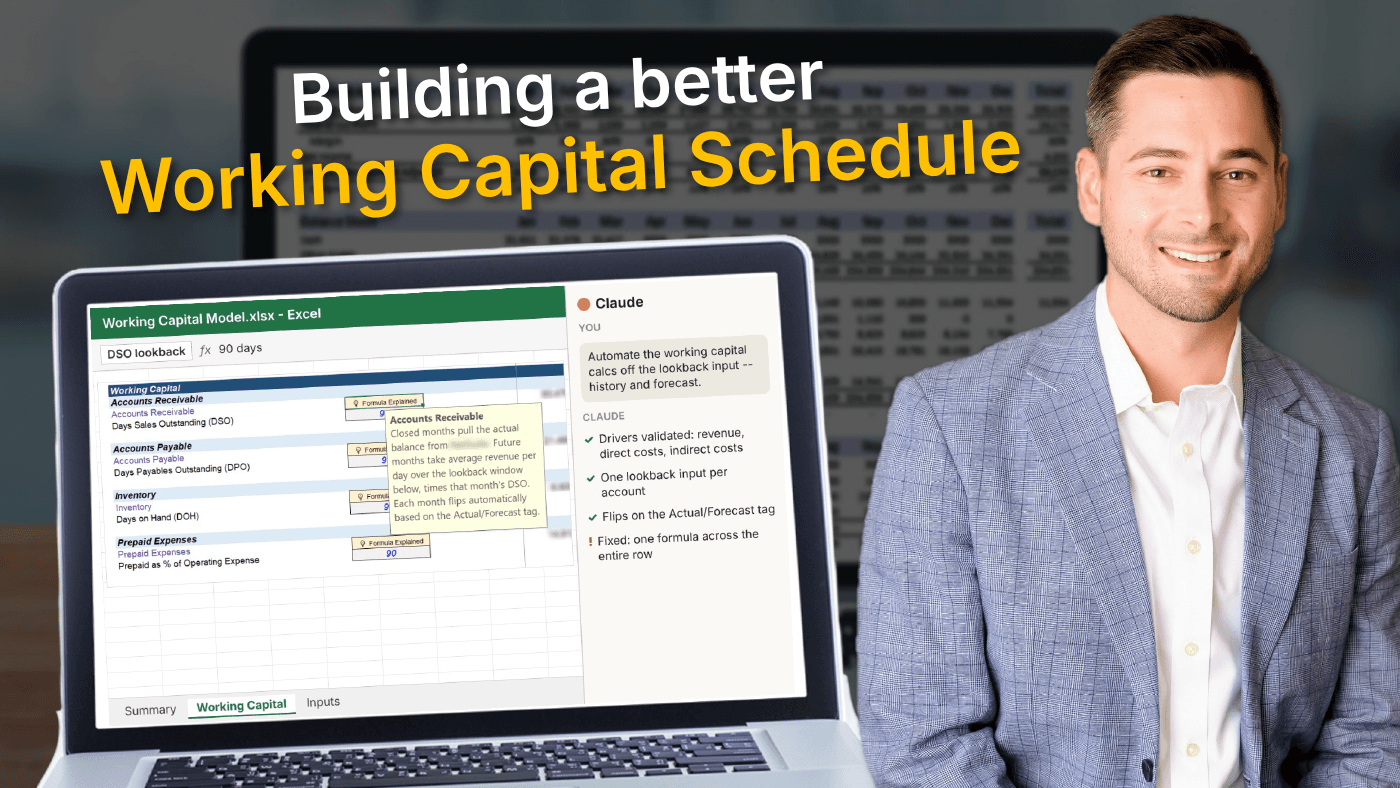
Hey! Chris here, with a story about building a better working capital schedule with AI.
Last time I wrote about connecting two models at once with Claude.
This week was a much more mundane corner of the model -- working capital.
But it was a great way to stress test the balance of human & AI modeling side-by-side.
I wanted to see if I could get more juice out of my working capital schedule...
The reliable, traditional way
If we're talking Accounts Receivable (AR), here's the way I usually start (and the way I teach it in my program):
- Assume revenue drives AR
- Calculate historical days sales outstanding (DSO) based on a pre-defined period (e.g., 90 days)
- Carry the 90-day DSO forward, calc the AR balance
It works totally fine as an initial placeholder. It's just static.
There's not a quick way to change the cadence without spending too much time on an insane formula.
What I asked AI to do with my working capital schedule
Inside a model I'm working on right now, I wanted the working capital section to be a little more flexible.
(This is a live client model, so it needs to be more scalable when it comes to monthly updates).
I don't remember the exact prompt, but it was something like this:
I want the working capital calcs to be fully automated based on the input I enter in the lookback period. So, for the history, calculate the implied DSO based on the input, and for the forecast, carry the latest DSO forward and calculate the AR balance based on the same time period.
(btw, I know I'm not the best "prompter" in the world, but honestly that stuff is only going to get better, so I don't waste my time trying to find the perfect prompt).
Here's what came back:
- It validated the drivers first. Revenue drives AR (I'm still using DSO), direct costs drive AP and inventory, and prepaid expenses are driven by indirect costs. This is what I expected, but it was nice to have a second set of eyes confirm it.
- One lookback input per account (90 days in this case). This was something I helped map out before prompting.
- Closed months pull the actual balance. Future months take average revenue per day over the lookback window multiplied by that month's DSO.
- Each month flips automatically based on the Actual/Forecast tag.
- I added a "Formula Explained" note in each section, so a human can actually follow what's going on.
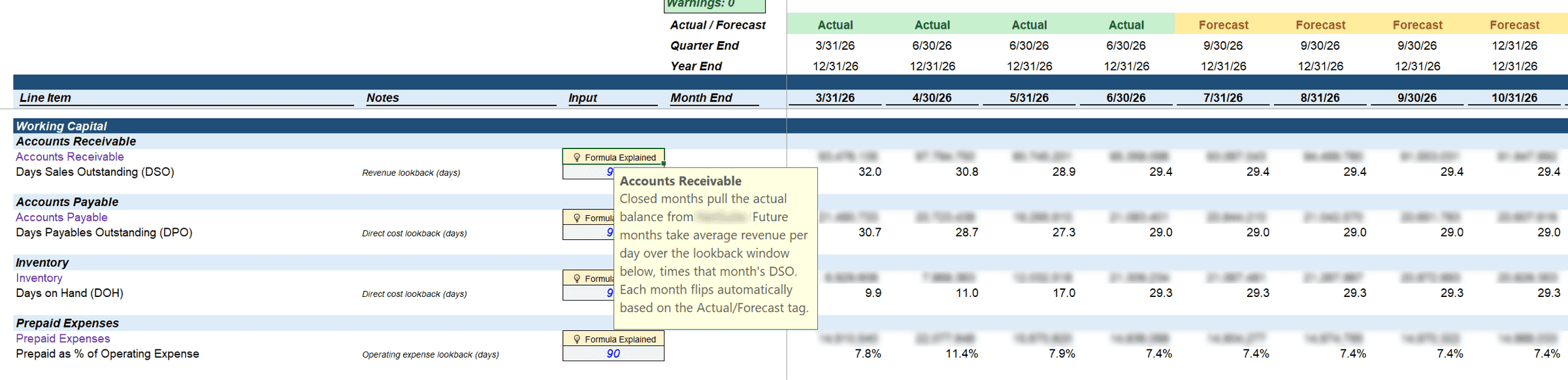
The "Formula Explained" note walks through the logic -- and the whole row runs on one formula. I built the note using data validation (Alt + A + V + V).
Where it went wrong
This is where I had to slow down.
I always get a little starry-eyed with AI, so this was a helpful reset.
Sometimes the formula would only carry through part of the row (it just didn't see how "long" the model truly was).
Other times, it would end one formula where the actuals stopped, and start a different one where the forecast began (absolute "no no").
So it took some follow-up instructions to get one formula that worked across the entire row.
The single-formula approach is what makes model updates efficient, and it's a hallmark I stand by for client models, so if I had missed this, I would have really kicked myself.
This only took a minute or two to fix, but when AI performed its "self checks," it didn't flag a mixed-formula row as an issue.
The human review
Once the formulas were consistent, I zoomed out, and reviewed it two ways:
- I looked at an annual summary and checked it by hand (do the trends pass the sniff test?).
- Then I asked AI to act as the CFO and review the trends. I wanted to see if it would draw the same (or different) conclusion as me.
And even then, I still needed my own final eye test before I was comfortable.
(This is when I usually walk away from the computer or print stuff out on paper, just to get out of the "AI vortex").
I'm seeing the future play out in real time, as my role shifts from builder to auditor.
The result: a more flexible working capital schedule
Time spent was about the same as the old way (and time will continue to drop as I trust AI more).
But the model is much better. Validated drivers, a flexible lookback, and one consistent formula across each row that has a friendly human explainer.
The catch: I only noticed the split formulas from years of "built by hand modeling" -- it's ingrained in me to double-check these things. Otherwise, this could have been really easy for me to miss.
Punchline tips that continue to help me
- Use your subject-matter expertise to draw your own conclusion first, then have AI review. A prompt follow-up I'm using a lot: "Please completely ignore any possible bias I may have."
- Ask AI to validate the actual drivers / correlation behind the figure you're building, don't just assume.
- Insist on one consistent formula per row, and add it to your Claude instructions if you can. Sometimes, AI defaults to the minimum amount of work required to satisfy what's on screen, but doesn't think about future-proofing.
- Include the "human explainer" where you can (data validation makes this clean) -- AI loves to make complicated formulas that (1) work and (2) make sense in the moment, but are easy to forget if you put the model down for a week or two.
- Once you're comfortable with the structure, ask it to act as the CFO (it's pretty smart, after all), just make sure the final say is yours. At some point, you are ultimately on the hook for the recommendation.
- Advanced tools combined with core knowledge can lead to some really great efficiencies in all aspects of the model.
Until next time.
—Chris
Thanks for reading 🙂.
When the time is right, here are some ways I can help you:
- My financial modeling program teaches you to build 3-statement & 13-week cash flow models from scratch; this is the pre-requisite skill that gives me the confidence to use AI.
- I also do consulting work and you can email me directly -- I build custom financial models for FP&A teams (and PE as well).