Table of Contents
Hey! Chris here, with a story about running a financial model audit with Claude in Google Sheets.
Last time I wrote about building a better working capital schedule with AI.
This week, I'm switching gears to a topic I rarely discuss -- Google Sheets.
(I'll probably call it "Sheets" for a lot of this issue).
As an Excel purist and true Sheets hater, it took me a long time to warm up to this second-rate, amateur spreadsheeting program.
But, for a few years now, I've actually used it for client models (it's great for collaboration).
And recently, it integrated Claude as well.
This week I gave it a test run...
The backdrop: Google Sheets meets Claude
Like I mentioned above, I've been using Sheets for a few years on select client engagements.
And for the Excel stans out there (myself included), sorry to say, Sheets is much better at collaboration.
A few highlights for the haters:
- Tagging people directly in cells is great (they get an email, the tab keeps track)
- Constant version control that can always be recalled
- IMPORTRANGE is massively helpful for linking files
- The drop-down functionality is far more user-friendly
(and btw, if you want to use your Excel shortcuts in Sheets, grab this -- not an affiliate link, just a user)
And now, Sheets has finally integrated Claude.
After doing ~4 seconds of research, it sounds like the public beta was released in early October.
I was getting tired of downloading Sheets models into Excel, opening Claude, and retracing steps back into Sheets, so this was a welcome change.
So I decided to go all-in and let it rip.
What I asked it to do: a financial model audit skill
First off, I always ask myself, how can I use Claude/AI to leverage my existing skills so I get more out of my time?
(Which in turn, creates a better model for the client).
Sure, sometimes it's one-off builds, fixing formulas, or navigating data sets.
But a true game-changer for me is building a model audit.
So, I spent a few hours carefully crafting a model audit skill.
And for those who don't know, an AI skill is a saved set of instructions Claude follows the same way every time, so you always get a reliable, consistent output (required for something like an audit report).
And much like models themselves, these skills take a lot of tinkering to get right (I'm currently on v9 of the audit skill), but once they click, you get a major time windfall down the road.
Here's the summary of the one I built:
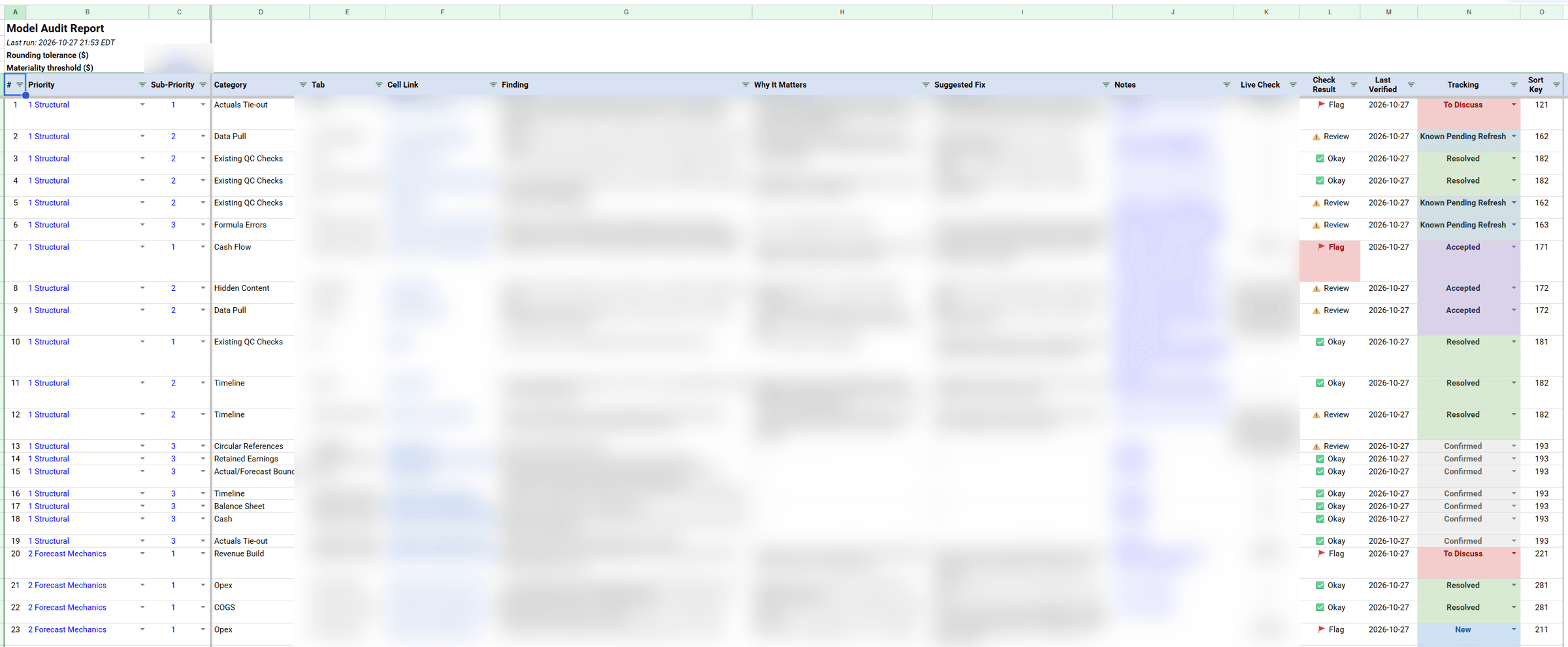
A full audit of the entire model, start to finish, with no input needed from me mid-run. It flags every issue by priority with a direct cell link, and keeps my notes and tracking from prior runs so each new audit only adds what's new.
What came back from the financial model audit
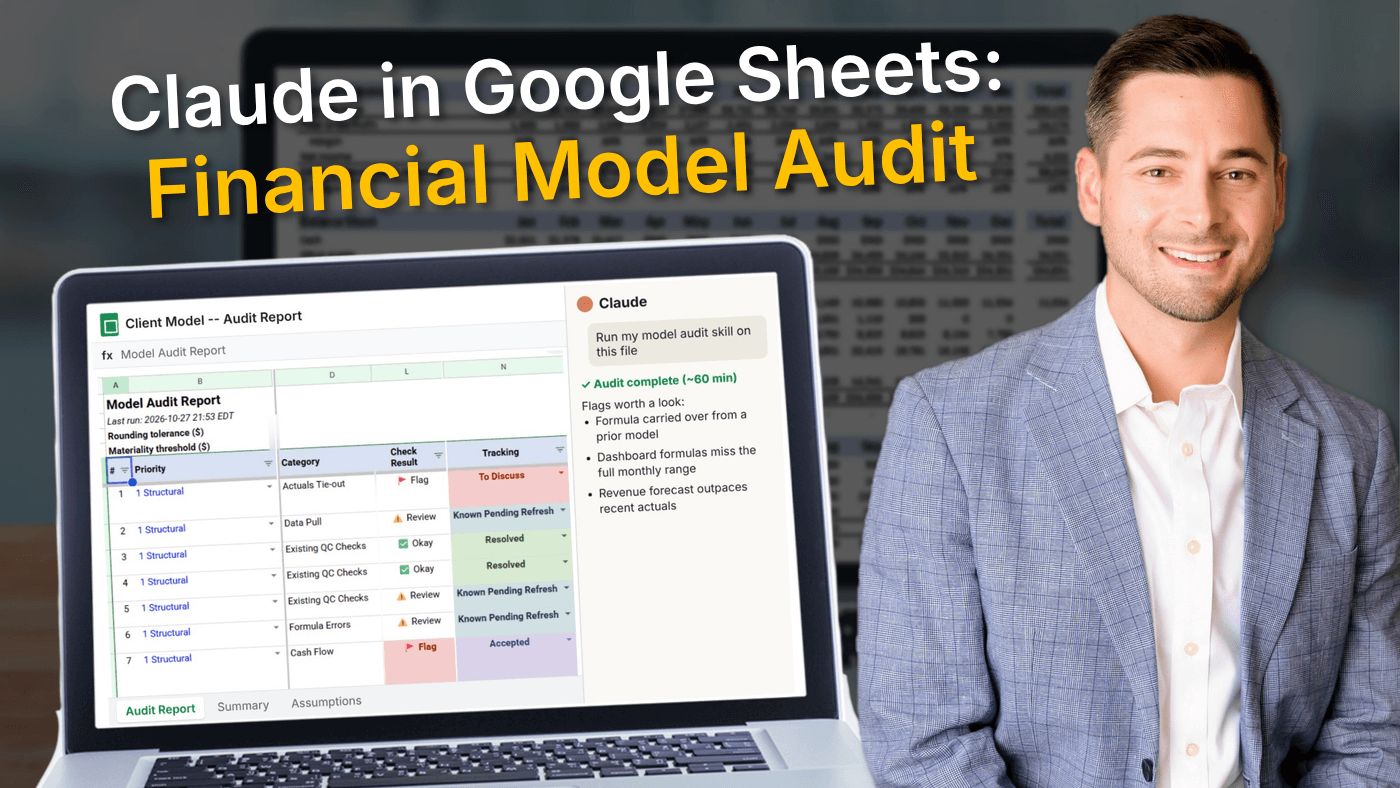
Now, this bad boy took nearly 60 mins to run.
(Right now, Claude in Sheets seems very slow compared to Excel).
But it produced an extremely useful audit report, with direct cell links to anything it flagged:
I wanted it to check for:
- Structural items
- Forecast items
- Model logic items (i.e., if X happens, Y should (or should not) happen)
- Best practices
The quick fixes
Thankfully, a lot of these were confirmatory or little bunnies that were easy to fix, but a few were really impactful:
- A formula from a previous model carried over that needed updating
- A few dashboard formulas didn't capture the full monthly range
- Some dead/retired inputs that didn't go anywhere
Strategic items to discuss with the client
More importantly, it helps me flag strategic items I can discuss with the client, such as:
- The revenue projection in the forecast outpaces the most recent actuals
- A recent COGS item is skewing (and understating) the forecast
- Certain G&A items don't seem to scale with the business as much as they "should"
- A few sales reps seem to have quota attainment higher than historical averages
The human review
This is probably the best part (if you let it):
The audit, combined with a human review, forces you to revisit the file in a way you probably never would.
You begin to scan corners of the model that may have a larger downstream effect than you realize.
(our days of randomly flipping tabs pressing F2 F2 F2 are over).
And if you take the time to understand it (and not just say "debug this"), you become a better modeler at the same time.
(and potentially save yourself from an embarrassing fix the client finds).
Now, sticking with my policy of "AI for workflow, not communication," I can compile an email to the client that outlines the "forecast flags" that were (1) identified by the audit, (2) reviewed by me, and (3) require the team's final say on the go-forward assumption.
Financial model audit takeaways
While I still love Excel (and always will), Sheets has earned a place in my heart, and it's nice to see the Claude integration even though it's slow (I assume this will improve).
Zooming out: the sheer scale of what Claude can produce in an audit report is a real chance for us to improve our craft.
It's humbling but true, there's just no way I could have done as comprehensive an audit using the "eye test," or even leaning on my own Error Checking tab.
But, what I can do is review the audit in detail to make the model (and my skills) better.
(And if you use Claude, there are similar Excel skills inside my How I'm Modeling with AI course -- Error Checking and Assumption Audit -- that you can customize and make your own).
Want a checklist to run before you hit send (with or without AI)? Grab my free financial modeler's checklist here.
Until next time.
—Chris
Thanks for reading 🙂.
When the time is right, here are some ways I can help you:
- My financial modeling program teaches you to build 3-statement & 13-week cash flow models from scratch; this is the pre-requisite skill that gives me the confidence to use AI.
- I also do consulting work and you can email me directly -- I build custom financial models for FP&A teams (and PE as well).